
Himmy GPX
Your GPX tracks on your bike's round screen. Free, no ads, no account.
Offline maps: no mobile data needed
No signal, trails, mountains
100% offline maps
No network? No mobile data? No problem. Himmy GPX stores the maps for your route on your phone: you download them once, and the map then shows up on your bike even in the middle of nowhere.
The manufacturer's official app only shows Google Maps. Himmy GPX shows your own GPX track instead on the Tripper Dash of the Royal Enfield Himalayan 450, with your live position, even with no network.
On the round screen
The map and your track show live on the dashboard, just like the original navigation.
Your GPX tracks
Share your track to Himmy GPX from your navigation app, or import a .gpx file. It keeps its name and is filed automatically.
Library
Sort your tracks into folders (Alps, off-road, day rides…) and load them in one tap.
Map and topo
Two backgrounds, both usable offline: topo with relief and contour lines for trails, map for the road.
Handlebar buttons
Zoom in and out with the right and left buttons, north-up or heading-up with the down button.
13 languages
French, English, Spanish, Italian, German, Portuguese, Dutch, Hindi, Indonesian, Thai, Japanese, Korean, Vietnamese.
No data collected
No account, no ads, no tracking. Your position stays on your phone.
Synced clock
The bike's clock is set from the phone's time every time you start.
Both directions
One switch reverses the track: the end becomes the start, to ride the loop the other way or come back the same way.
Screenshots
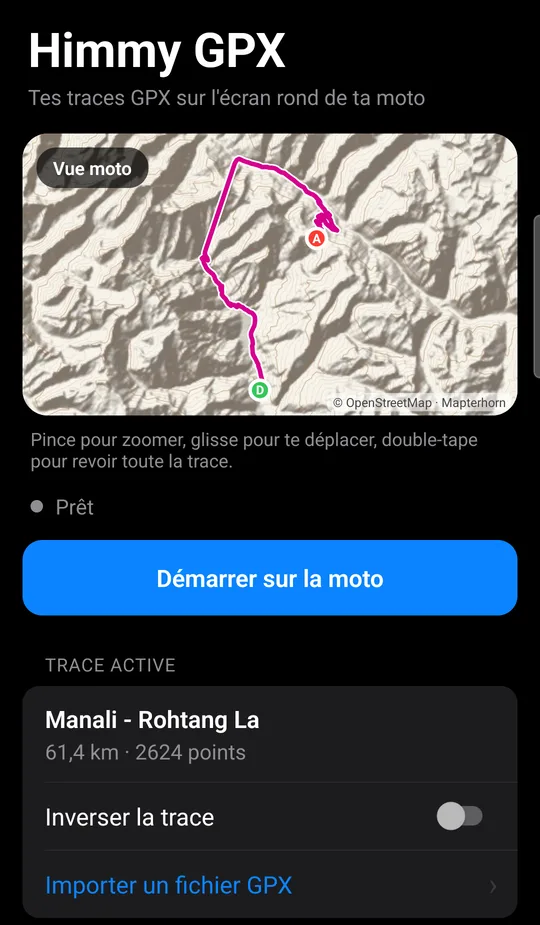
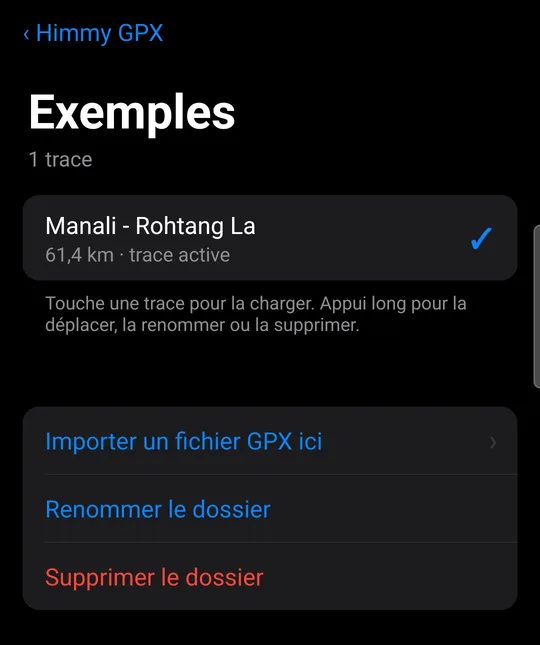
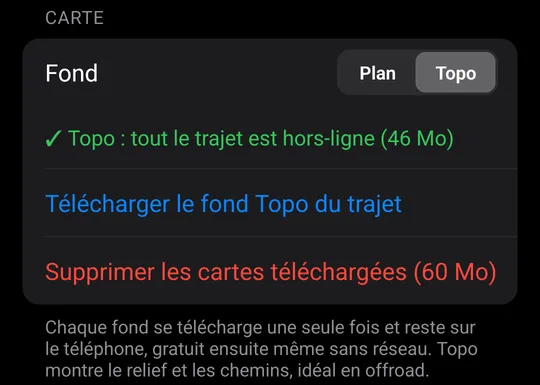
Screenshots of the app in French. The app follows your phone's language.
How it works
- Load your trackShare your track to Himmy GPX from your navigation app, or import a .gpx file from the app.
- Download the maps at homeOn Wi-Fi, pick your background (map or topo) and download the maps for your route. After that, no network needed.
- Close the manufacturer's app and startTurn the bike on, then tap "Start on the bike". The phone connects to the dashboard's Wi-Fi by itself.
- RideThe map follows your position. Right button: zoom in, left button: zoom out, down button: north-up or heading-up.
Installation
The app is installed straight from this website (.apk file), outside the Play Store.
- Download the fileOn your Android phone, tap the download button at the top of this page.
- Allow the installationAndroid asks you to let your browser install apps: allow it for this file.
- Open Himmy GPXThe first time you start on the bike, allow location, notifications and nearby devices (for the bike's Wi-Fi).
You need an Android 11 or newer phone and a Himalayan 450 with the round TFT screen. No iPhone version for now.
Himmy GPX is free and ad-free. If you like it, you can help pay for hosting the offline maps.
Good to know
⚠ The 8 fps option makes the map smoother but works the bike's screen and the phone harder. In hot weather, go back to 4 fps if the screen flickers or gets hot.
Keep your eyes on the road: set up your track before you leave and don't handle the phone while riding.
Does the Royal Enfield app need to be open?
No, quite the opposite: close it before starting Himmy GPX, otherwise both apps fight over the screen.
Does it use mobile data?
Only if you didn't download the maps beforehand: any missing parts of the map then load along the way. With the maps downloaded, the app works fully offline.
Does it work on other bikes?
The app is made for the round TFT dashboard of the Himalayan 450. It hasn't been tested on other models.
Is it really free?
Yes: no ads, no subscription, no account. It's a passion project.